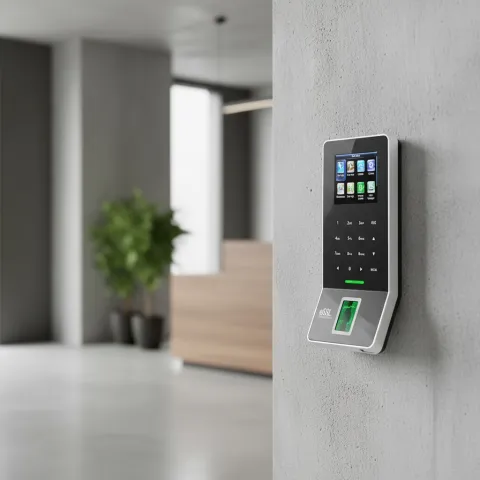
The doorbell rings but the screen is black. Or nothing rings at all.
A video intercom has exactly three jobs: ring inside when someone presses outside, show you their face, and open the door when you say so. When one of those breaks, the fault is almost always in one of five places — power, cabling, pairing, network, or the lock circuit. Here is how to find which, in order, for IP systems (Hikvision, Dahua and similar) and older 2-wire and analog intercoms.
First: what kind of intercom do you have?
- IP intercom — network cable, PoE switch, touchscreen monitor, mobile app (like the Hikvision DS-KIS602 kit). Faults are power/network/pairing.
- 2-wire / analog intercom — two thin wires from a handset or small screen to the door panel, common in older Sharjah and Ajman buildings. Faults are wiring, corroded terminals, dead handsets.
Problem 1: Nothing rings when the button is pressed
- Check the door station has power. IP: is the PoE switch on, port LED lit? A tripped breaker at the gate kills the outdoor unit while the indoor screen stays on — the classic "half-dead" symptom. 2-wire: check the power supply unit, usually in the entrance cabinet.
- Check the indoor monitor is not muted. Do-not-disturb mode, volume zero, or "extension off" settings survive power cuts. Two minutes in settings before touching any wire.
- Press and listen at the panel. Button clicks but no tone at all outside = button or panel fault. Tone outside, silence inside = link between units broken.
- After a power cut: restart both ends — switch off the PoE switch and monitor for 30 seconds. IP units occasionally fail to re-register after outages.
Problem 2: It rings, but the screen shows nothing
- Black at night only → the door station's IR night vision has failed, or something now blocks the lens (spider webs are champions at this).
- Black always, audio fine → on IP systems, the video stream is not reaching the monitor: bandwidth, a failing switch port, or a damaged cable pair. On 2-wire, video needs both wires healthy — corrosion that lets audio through can still kill video.
- Image but frozen or distorted → poor cable, water in the outdoor unit, or interference from a parallel mains cable. UAE-specific: gate stations facing west take brutal afternoon sun; overheated units show exactly this before they die.
Problem 3: Talk works one way only
You hear the visitor but they cannot hear you (or reverse) = a microphone or speaker failing at one end. Confirm which end by testing with the app (IP systems): if the app talks fine and the monitor doesn't, the monitor is the fault. Dust ingress kills door-station microphones slowly — voices get quieter over months, then stop.
Problem 4: The door does not unlock
- Listen for the click. Click but no open = mechanical: strike misaligned with the door frame, or the gate motor's own fault. No click = electrical: lock power supply, wiring from the door station's relay, or unlock settings (relay duration set to zero after a reset is a real thing).
- Magnetic locks fail unlocked when their power dies — if the door swings free, check the lock PSU first.
- Works from monitor, not from app = a permissions setting in the app account, not a wiring fault.
Problem 5: App calls stopped arriving (IP systems)
- Recorder-style rules apply: the intercom lost internet, or the cloud service got disabled after a power event. Reboot router, check platform status on the monitor.
- Phone-side: battery saver killed the app, notifications off, or the account was logged in on a new phone which silently displaced the old one.
What we fix versus what we replace
Corroded 2-wire terminals, failed power supplies, misaligned strikes, drowned junction boxes, re-pairing after resets — repairs, done in one visit. A 15-year-old analog intercom with a dying handset and no spare parts in the market — that we replace, usually with an IP kit that reuses your existing cabling where possible, adds phone answering, and costs less than most people expect. Old building with only two wires in the wall? 2-wire IP hybrid systems solve exactly that, no re-cabling. Installation and repair across all seven emirates — see our installation services or read about the DS-KIS602 villa kit we install most.
Frequently asked questions
My intercom died after a thunderstorm. Coincidence?
No. Surges through mains or long gate cabling kill door stations and PoE ports. If the unit is dead-dead (no lights), the PSU or port likely went with it. Surge protection on the gate run prevents the rerun.
Why does my intercom work in winter and fail in summer?
Heat. Outdoor units at UAE gate temperatures throttle or reset; weak power supplies sag further under heat. A shade hood, a healthier PSU, or relocating the PSU indoors usually ends it.
Can you make my old intercom open the gate motor too?
Usually yes — most door stations have a relay output that can drive a gate motor's trigger input. We wire and configure it in one visit.
Spare parts for my old brand no longer exist. Options?
Replace the failed end only if a compatible unit exists; otherwise a modern kit. If your building has just two wires in the wall, we fit 2-wire IP systems that reuse them — video, app and unlock included.
Intercom down? Get it answering again this week.
Call or WhatsApp +971 58 589 8309, or email aslam@secureye.me. Describe the symptom — rings/no video, no ring, no unlock — and we will come with the right parts the first time. All Emirates.