Your recorder keeps 7 days of footage. You need 30. Most owners assume the only fix is a bigger hard disk, but on most systems the first extra weeks come from settings that cost nothing. This guide shows how to measure what you have now, which settings to change first, and when a new disk is the right answer.
First, find out how many days you have now
Open Playback on the recorder or the phone app and pick the earliest date that still has a recording. The gap between that date and today is your real retention. While you are in the menus, note four more things:
- Number of cameras recording
- Resolution of each camera (2MP, 4MP, 8MP)
- Video codec (H.264, H.265, H.265+) and bitrate, found in the camera's recording or encoding settings
- Hard disk size, found in the HDD or Storage menu
The storage formula in one line
For one camera recording 24 hours a day: bitrate in Mbps × 10.8 = GB per day. A camera at 4 Mbps writes about 43 GB every day. Eight of them write about 346 GB a day, so a 4TB disk (4,000 GB) fills in about 11 days, after which the recorder starts overwriting the oldest footage.
To work out your days: disk size in GB ÷ (cameras × GB per day per camera). Recorders keep a little space for their own use, so real results run slightly lower.
Same cameras, same disk, four different results
An example with 8 × 4MP cameras recording 24/7 onto one 4TB disk:
| Setup | Average bitrate per camera | Storage per day (8 cameras) | Days on 4TB |
|---|---|---|---|
| H.264, factory settings | 6 Mbps | 518 GB | about 7 |
| H.265 | 3 Mbps | 259 GB | about 15 |
| H.265+ smart codec, quiet scene | 1.5 Mbps | 130 GB | about 30 |
| H.265+ plus a second 4TB disk | 1.5 Mbps | 130 GB | about 61 |
The bitrates are examples. A busy shop entrance writes more than a quiet corridor, and night scenes often write more than day scenes. Measure your own system before and after each change.
Free fixes: settings that add days without buying anything
1. Switch from H.264 to H.265 or H.265+
H.265 keeps a similar picture at roughly half the bitrate of H.264. Smart codecs go further: Hikvision calls theirs H.265+ (H.265 Pro+ on Turbo HD DVRs) and Dahua calls theirs Smart H.265+. They save the most on scenes with little movement, which describes most cameras most of the day.
Both the camera and the recorder must support the codec. Older cameras may only offer H.264 or need a firmware update. After switching, play back a clip on the phone app to confirm it still plays smoothly.
2. Use variable bitrate (VBR) with a sensible cap
Constant bitrate (CBR) writes the same amount of data every second, even when nothing moves. Variable bitrate (VBR) writes less when the scene is still. Set the bitrate type to VBR and set the maximum to what the picture needs. For a 4MP camera on H.265, a cap between 2,048 and 4,096 Kbps is a reasonable starting point. Check the night picture before you settle on a number.
3. Lower the frame rate where speed does not matter
25 frames per second is TV smoothness. Corridors, storerooms and parking areas are well covered at 12 to 15 fps. Keep a higher frame rate on cash counters, entrances and gates, where you need one clear frame of a moving face or number plate.
One catch: on CBR, lowering the frame rate saves nothing, because the recorder still writes the fixed bitrate. Lower frame rates only save space on VBR, or when you lower the bitrate cap as well.
4. Match resolution to the job
An 8MP (4K) camera on a stairwell uses roughly twice the storage of a 4MP camera and shows nothing extra worth keeping. Use 4MP for most indoor views. Keep 8MP for wide areas where you will zoom into recordings later, such as car parks, warehouse floors and villa perimeters.
5. Record smarter: continuous plus event quality
Many recorders, including Hikvision NVRs, let you set one quality for continuous recording and a higher one for motion events. The camera records all day at a modest bitrate and switches to full quality when something happens. For quiet cameras at home, such as the back of a villa at night, motion-only recording saves even more.
Motion recording only saves space if false triggers are under control. Trees, flags, passing headlights and insects drawn to the infrared light can keep a camera recording all night. Use human and vehicle detection where the camera has it (Hikvision AcuSense, Dahua WizSense), and draw the detection area so it excludes the street.
Businesses: if your premises fall under Ajman Police, Sharjah Police or SIRA rules, keep continuous 24/7 recording for the full retention period and use the codec and bitrate fixes instead.
6. Reduce night-time noise
In infrared night mode, image grain makes a VBR camera write more data, and a spider web in front of the lens can trigger motion recording until morning. Clean the lens and housing, add a small light to very dark corners, keep infrared away from walls and glass close to the camera, and turn on noise reduction (DNR) in the image settings.
7. Give the important cameras more days
Professional recorders let you set a storage quota or a maximum keep time per camera. Give the cash counter and the main entrance more space and a storeroom less. Then confirm that Overwrite is switched on. With overwrite off, the recorder stops recording when the disk fills, and you usually find out from a beeping recorder or an empty playback after an incident.
Hardware fixes: when settings are not enough
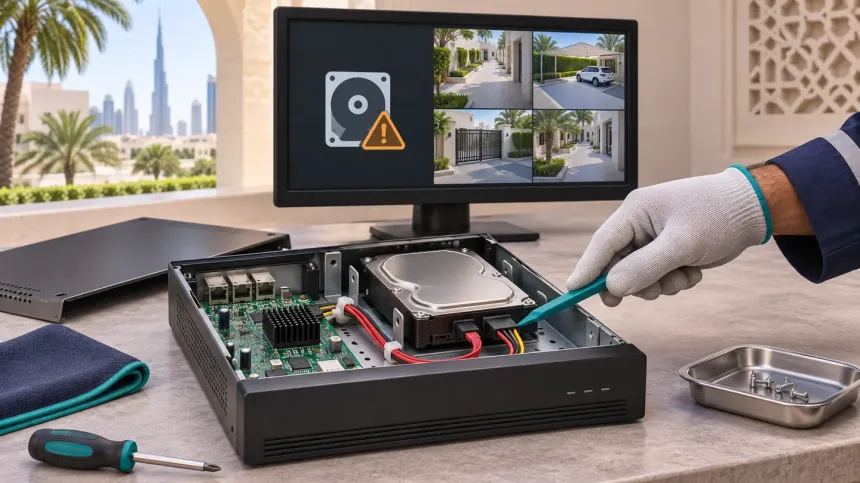
8. Add a second hard disk
Check the recorder's datasheet for two numbers: how many SATA bays it has and the largest disk each bay supports. An empty bay is the cheapest upgrade there is. A second disk adds days without touching the footage already on the first one.
When the recorder asks to initialise the new disk, select only the new disk. Initialising erases the disk you select.
9. Replace the disk with a bigger one
With no free bay, swap the disk for a larger one within the recorder's supported maximum. The footage on the old disk leaves with it, so label the old disk and keep it safe until the new one has built up enough days.
Use a surveillance-grade disk, such as WD Purple or Seagate SkyHawk. Desktop disks are not built to write 24 hours a day and fail early, especially inside a warm cabinet. Keep the recorder somewhere with airflow; a UAE summer in a closed cupboard shortens any disk's life.
10. Larger systems: network storage, RAID and backups
- NAS or IP SAN: many NVRs can record to network storage, which grows capacity beyond the bays inside the recorder.
- RAID: on recorders that support it, RAID keeps recording when one disk fails, at the cost of one disk's capacity. It is worth it where footage is required by regulation.
- MicroSD cards in cameras: a safety net, not extra days. With ANR, a Hikvision camera records to its card when the network drops and fills the gap on the recorder later.
- Cloud: useful as an off-site copy of one or two key cameras. Keeping every camera in HD for 30 days in the cloud needs serious upload bandwidth and a monthly fee per camera.
How many days do you need?
- Homes and villas: 14 to 30 days is a comfortable target, long enough to check footage after a two-week trip.
- Shops, offices and warehouses in Ajman and Sharjah: plan for at least 30 days of continuous recording. In Ajman, higher-risk premises such as banks and money exchanges need 90 days.
- Businesses in Dubai: at least 31 days under SIRA rules, longer for some activities.
Size for the retention you need with some headroom, because bitrates rise at night and in busy periods.
Checklist before you buy a disk
- Measure your current days in Playback.
- Switch to H.265 or H.265+ and VBR with a sensible cap.
- Lower the frame rate on slow scenes and match resolution to each view.
- Confirm overwrite is on and set quotas for key cameras.
- Wait a week, measure again, then size the disk for the gap that is left.
Frequently asked questions
How many days will a 1TB, 2TB or 4TB disk record?
It depends on cameras and settings. As an example, 4 × 2MP cameras on H.265 at about 2 Mbps each write about 86 GB a day: roughly 11 days on 1TB, 23 days on 2TB and 46 days on 4TB, recording 24/7.
Does H.265 lower picture quality?
At the same resolution, H.265 keeps a similar picture at a lower bitrate. Aggressive smart codec settings can soften fast movement, so play back a clip of someone walking past before you settle on the setting.
Can I plug in a USB hard drive for more storage?
On most recorders, the USB port is for exporting clips, backups and firmware updates, not continuous recording. Extra recording capacity comes from internal SATA bays, eSATA on some models, or network storage.
Why does my 4TB disk show only about 3.6TB?
The recorder counts in binary units, so a 4TB disk appears as about 3.6TB (around 3,725 GB). Nothing is missing.
I added a disk but still see only a few days. Why?
Extra days build up over time; a new disk does not add them instantly. If the number does not grow after a week, check that the disk shows as Normal in the HDD menu, that the cameras are assigned to the disk group it belongs to, and that overwrite is on. If recording has stopped altogether, see why CCTV stops recording.
Is motion-only recording allowed for businesses?
For premises covered by Ajman Police, Sharjah Police or SIRA rules, keep continuous recording. Motion-only recording is best kept for homes and non-regulated areas.
Not sure how many days your system can hold?
WhatsApp +971 58 589 8309 with your recorder model, number of cameras and a photo of the HDD screen. We will tell you how many days you can gain from settings alone and whether you need a new disk. We tune settings and fit disk upgrades in one visit across Ajman, Sharjah and Dubai, and our CCTV maintenance plans include a retention check on every visit. Planning a new system? See CCTV installation in Ajman.